


Voting Guide | DATE BACK TO DAWN

《Voting Guide》
EMERGENZA JAPAN Final
Voting Guide for DATE BACK TO DAWN fans around the world.
Event date: Saturday, July 11, 2026
Performance time: Block A, between 14:45–16:21 JST
※The exact performance time will be announced on the day of the event.
Official voting time in Japan: 14:45–19:30 JST
Voting method: Venue Voting + Online Voting
Supporters outside Japan can vote online through Mudia.
Voting time examples by country / region:
Japan: 14:45–19:30 JST
United States / Eastern Time: 01:45–06:30 EDT
United States / Pacific Time: July 10, 22:45 – July 11, 03:30 PDT
United Kingdom: 06:45–11:30 BST
France / Spain: 07:45–12:30 CEST
Romania: 08:45–13:30 EEST
Australia / Sydney, Melbourne: 15:45–20:30 AEST
Australia / Perth: 13:45–18:30 AWST
New Zealand: 17:45–22:30 NZST
If your country or time zone is not listed above, please use Japan time (JST) as the official reference and convert it to your local time.
Useful Links
| Mudia | https://mudia.tv |
|---|---|
| Voting Page | https://mudia.tv/project/emergenza2026 |
| Official Guide | https://mudia.tv/vote_method/emergenza2026 |
| Livestream |
https://mudia.tv/event/5034 We would also be very happy if you leave a comment for us during the event 🔥 |
Thank You for Supporting DATE BACK TO DAWN
Thank you so much for supporting DATE BACK TO DAWN!
We are honored to perform in the EMERGENZA JAPAN Final.
This competition is not decided only by musical performance,
but also by the support each band receives from their fans.
Every single online vote on Mudia can affect the final result
and brings us one step closer to our goal.
We know this process takes a little time, and we truly appreciate your support.
Thank you for being part of this journey.
Let’s make this final unforgettable together!
DATE BACK TO DAWN
Important Notes About This Voting Guide
⚠️ The official voting time is based on Japan Standard Time (JST)
The official voting window is based on Japan Standard Time (JST, UTC+9).
Please check the time difference carefully so you do not miss the voting window.
Official voting time in Japan:
July 11, 2026 14:45 – 19:30 JST
Voting time examples by country / region:
United States / Eastern Time: 01:45 – 06:30 EDT
United States / Pacific Time: July 10, 22:45 – July 11, 03:30 PDT
United Kingdom: 06:45 – 11:30 BST
France / Spain: 07:45 – 12:30 CEST
Romania: 08:45 – 13:30 EEST
Australia / Sydney, Melbourne: 15:45 – 20:30 AEST
Australia / Perth: 13:45 – 18:30 AWST
New Zealand: 17:45 – 22:30 NZST
If your country or time zone is not listed above, please use Japan time (JST) as the official reference and convert it to your local time.
⚠️ Please purchase Gold before the voting period if possible
If possible, we kindly ask you to purchase your voting Gold before the event day.
During the voting period, Mudia may receive heavy traffic. This could make purchases slower or more difficult.
If you purchase Gold in advance, you will be able to vote more smoothly on the day of the event.
STEP 1 : Create a Mudia Account
Estimated time: 5 minutes
① Open Mudia
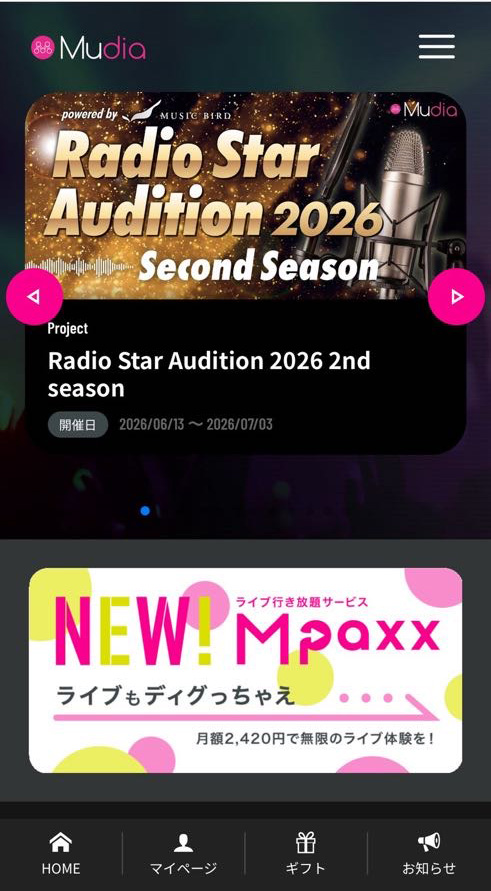
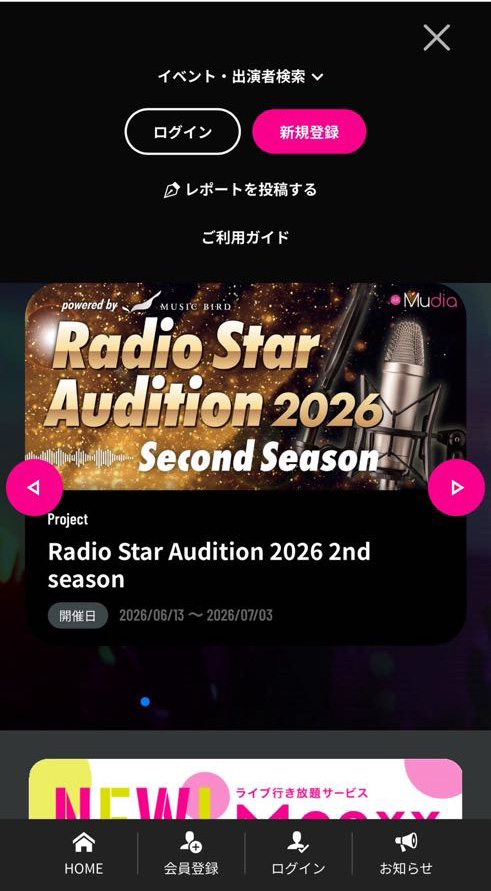
Visit:
https://mudia.tv
- Tap the three lines in the top right corner and select “New Registration”.
② Sign Up
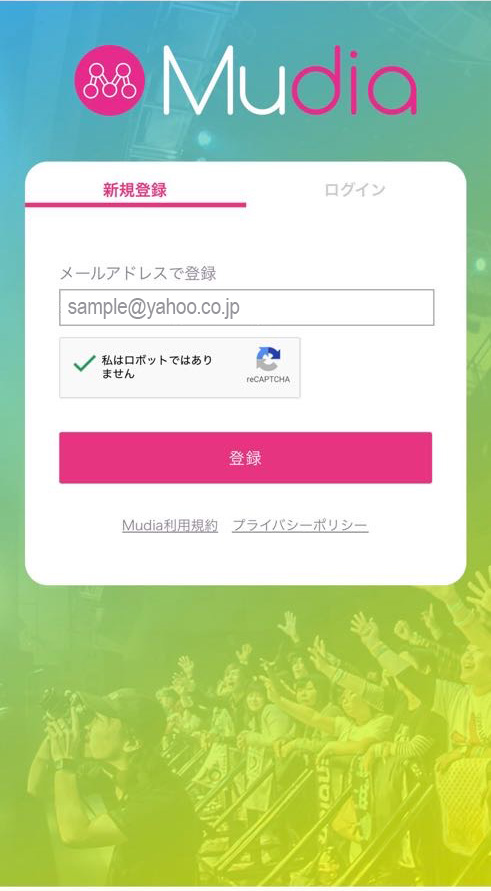
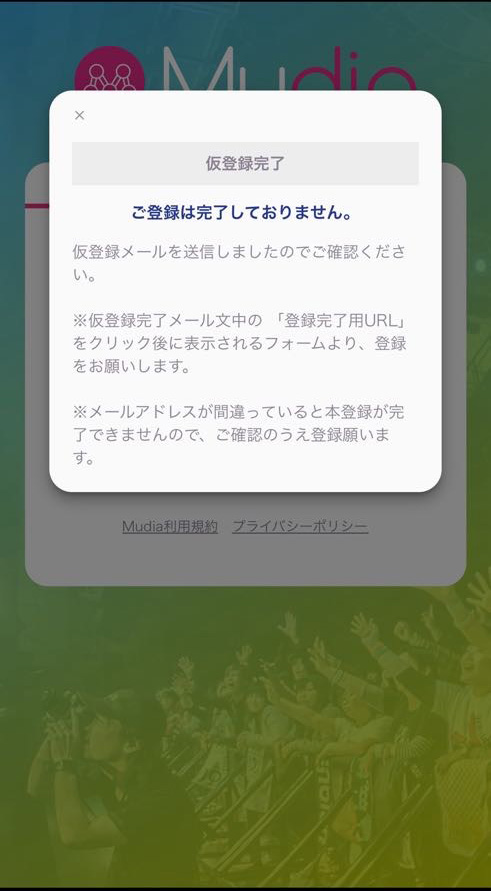
- Tap “Sign Up” and create your account using your email address.
- After entering all required information, tap “Register”.
- A pop-up will appear, and a confirmation email will be sent to your registered email address.
③ Complete Your Registration
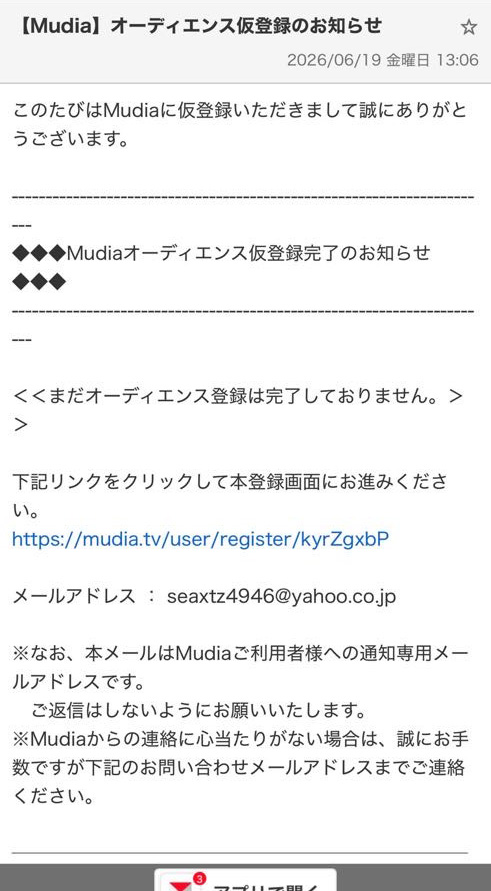
- Open the temporary registration email from Mudia.
Subject: [Mudia] Audience Temporary Registration Notice
Sender: Mudia Support (support@mudia.tv)
- Tap the URL in the email to open the registration page.
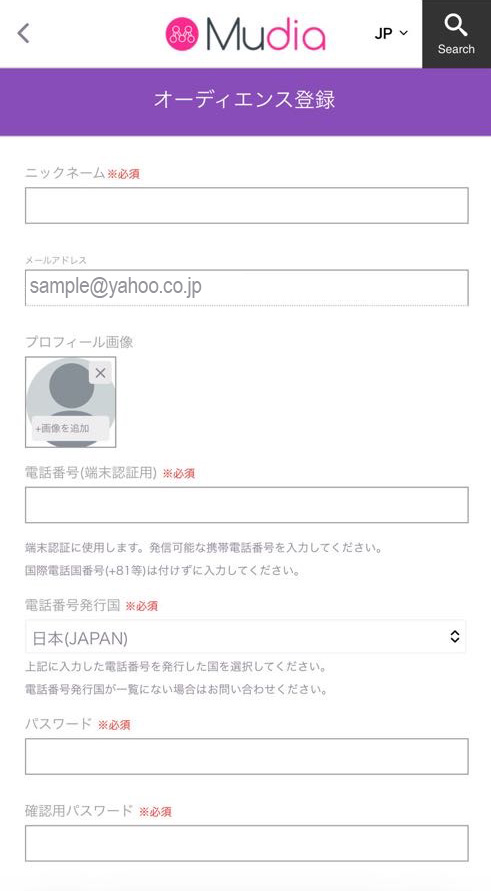
④ Enter the Required Information
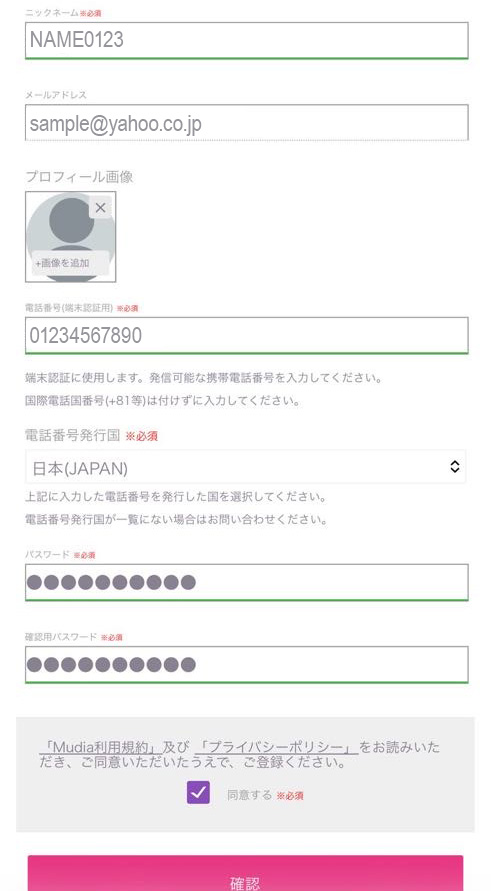
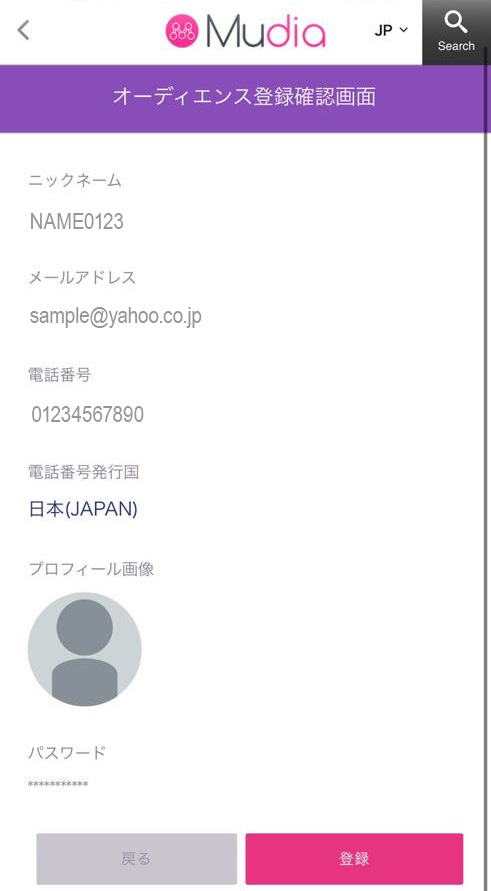
- Fill in all required fields marked in red.
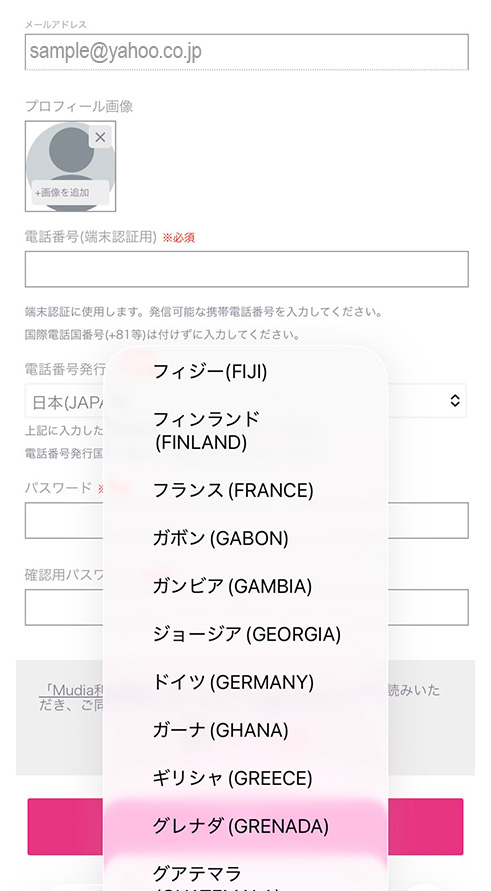
※A profile photo is not required. - If you need to change the country code for your phone number, tap the country/region field and select the correct country.
- After entering all required information, check the confirmation box and tap “Confirm”.
- Review your information on the next page, then tap “Register” to complete your registration.
⑤ Phone Verification / Registration Complete
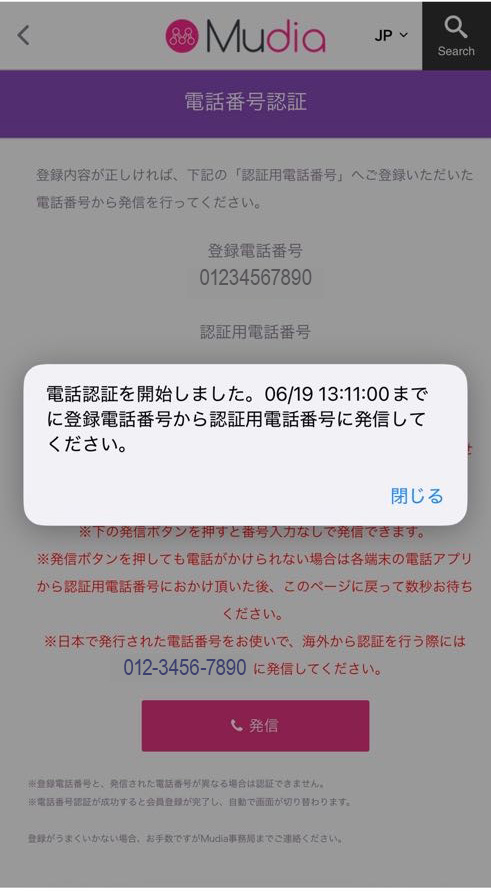
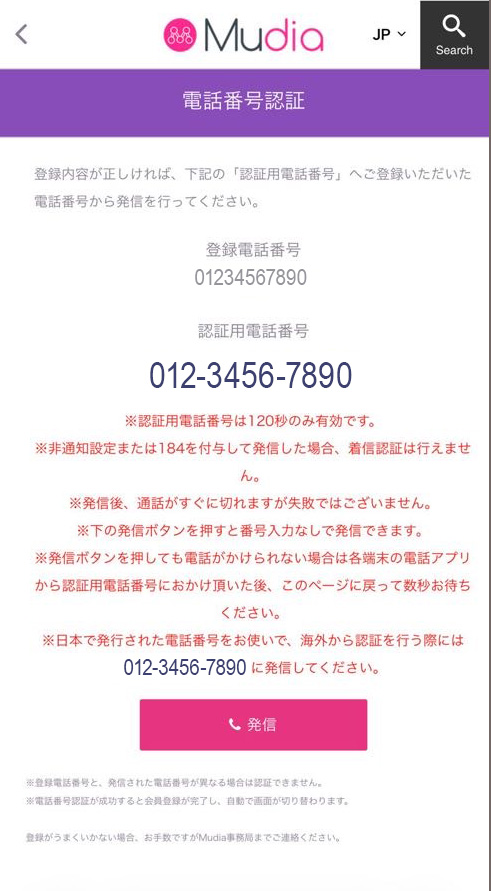
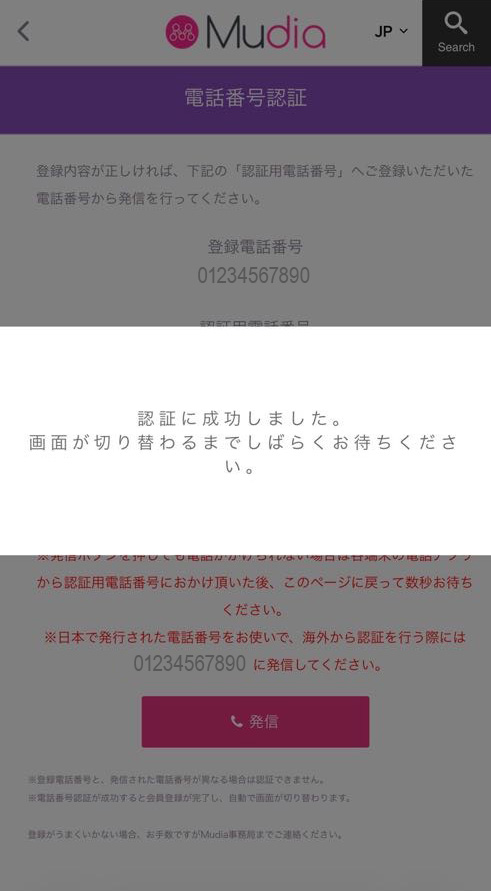
- The phone verification screen will appear. Check the message and tap “Close”.
- Tap “Call” at the bottom center to start phone verification.
- After the call, the line will automatically disconnect after about one ring.
- A message will then appear saying that verification has been completed.
- You will then be redirected back to the Mudia homepage.
🎉 Your registration is now complete! 🎉
STEP 2 : Purchase Gold
Estimated time: 3 minutes
What is Gold?
Gold is Mudia’s voting currency. You can use it to support artists during competitions.
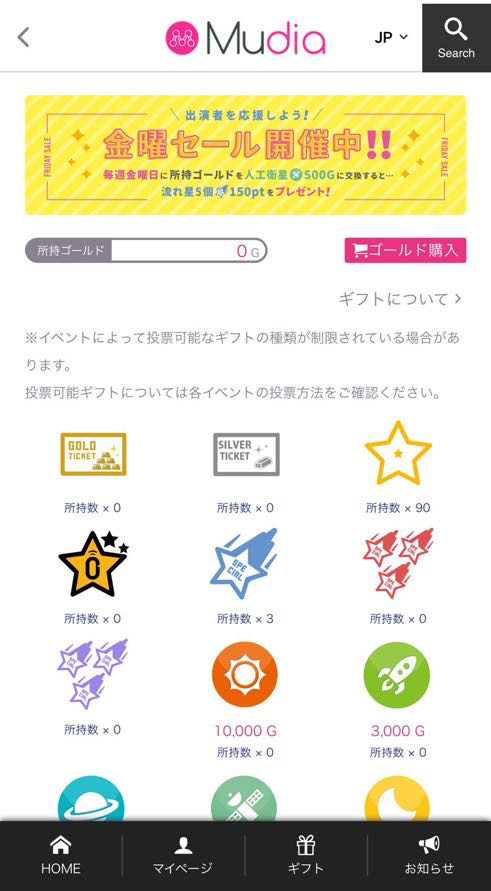
- Tap the “Gift” icon at the bottom of the homepage.
- When the page opens, tap “Purchase Gold” in the top right corner.
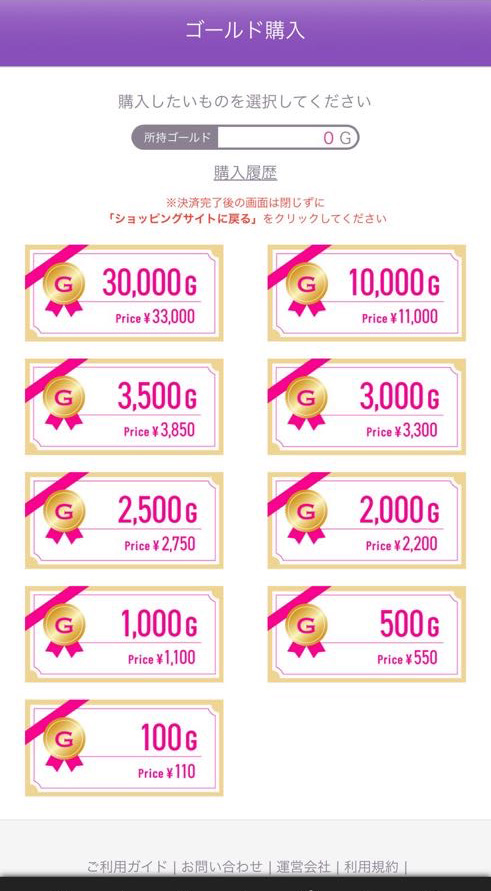
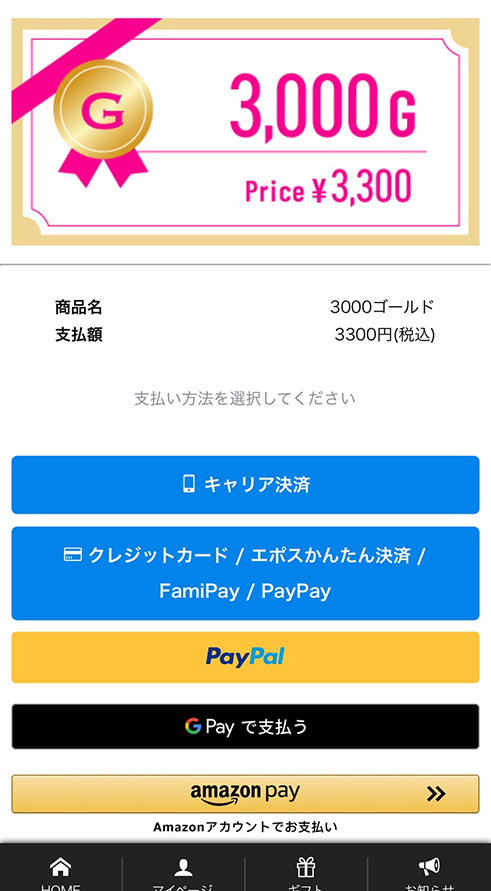
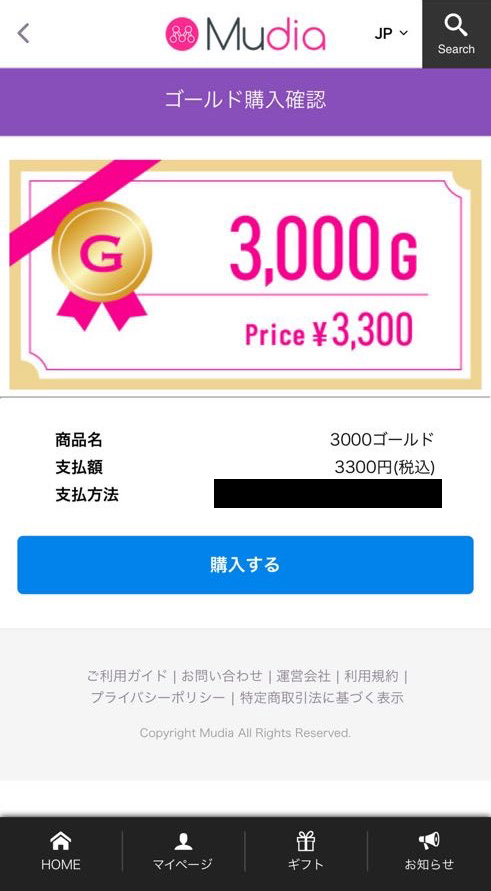
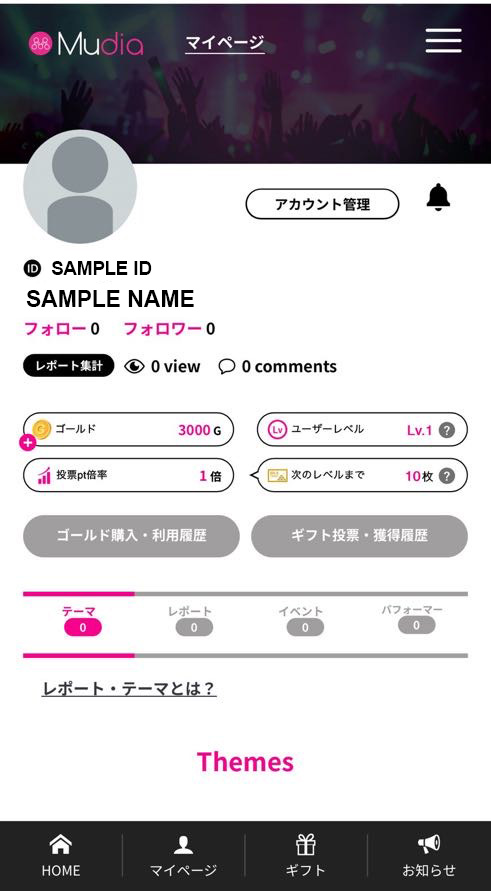
- On the Gold purchase page, select:
3,000G / Price: ¥3,300 JPY - Select your preferred payment method and tap “Purchase”.
※You can check your purchased Gold anytime on “My Page”.
STEP 3 : Vote for DATE BACK TO DAWN
Estimated time: 3 minutes
Official voting time in Japan
July 11, 2026 14:45 – 19:30 JST
July 11, 2026 14:45 – 19:30 JST
Voting time examples by country / region
United States / Eastern Time: 01:45 – 06:30 EDT
United States / Pacific Time: July 10, 22:45 – July 11, 03:30 PDT
United Kingdom: 06:45 – 11:30 BST
France / Spain: 07:45 – 12:30 CEST
Romania: 08:45 – 13:30 EEST
Australia / Sydney, Melbourne: 15:45 – 20:30 AEST
Australia / Perth: 13:45 – 18:30 AWST
New Zealand: 17:45 – 22:30 NZST
United States / Eastern Time: 01:45 – 06:30 EDT
United States / Pacific Time: July 10, 22:45 – July 11, 03:30 PDT
United Kingdom: 06:45 – 11:30 BST
France / Spain: 07:45 – 12:30 CEST
Romania: 08:45 – 13:30 EEST
Australia / Sydney, Melbourne: 15:45 – 20:30 AEST
Australia / Perth: 13:45 – 18:30 AWST
New Zealand: 17:45 – 22:30 NZST
⚠️ Voting is only available during this period.
If your country or time zone is not listed above, please use Japan time (JST) as the official reference and convert it to your local time.
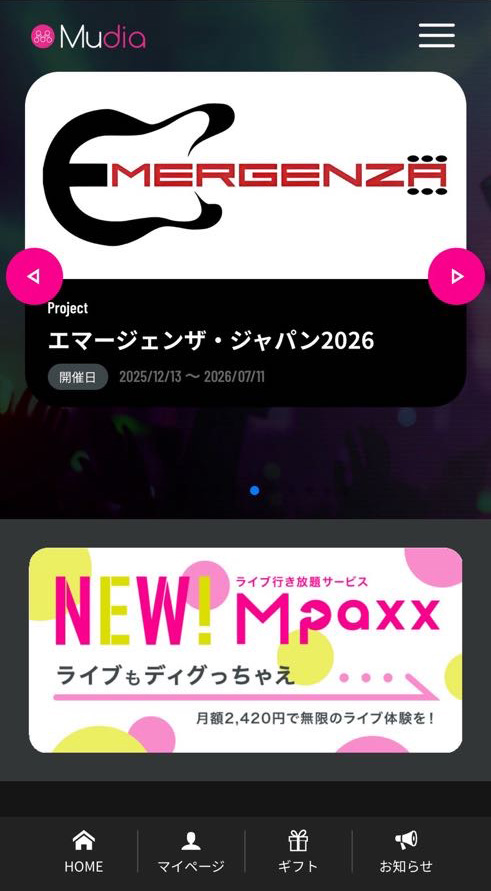
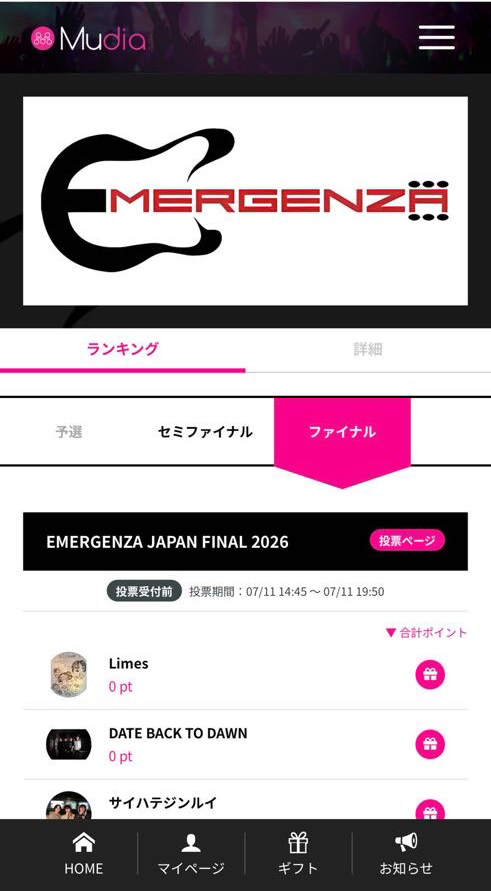
- Open the voting page:
https://mudia.tv/project/emergenza2026
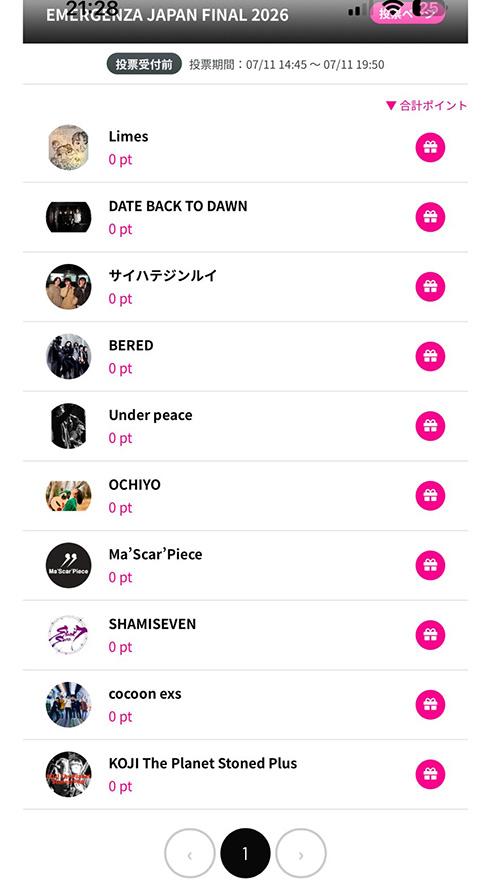
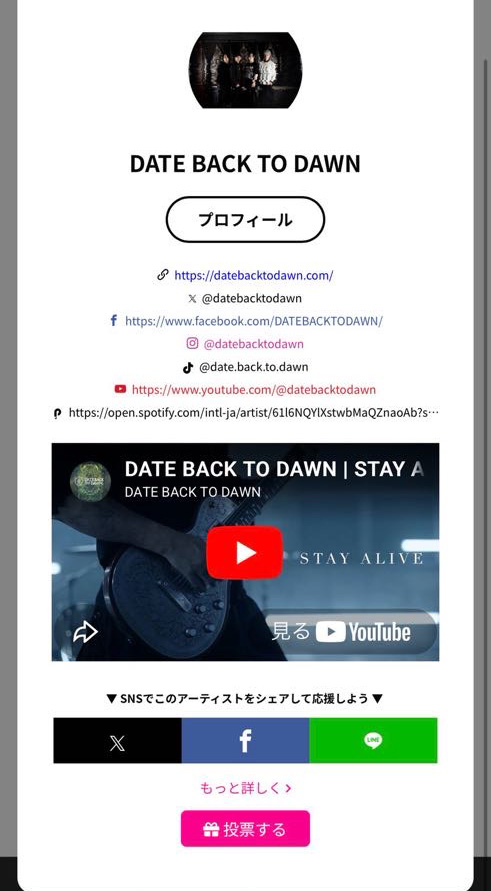
- Select: DATE BACK TO DAWN
- Tap the voting button and use your Gold to complete your support.
🎉 Voting complete! 🎉
Thank you so much for supporting
DATE BACK TO DAWN ❤️
After Voting
After you vote, please take a screenshot and send it to us by Instagram DM.
As a thank-you gift, we will send everyone who votes for us a download link to an unreleased DATE BACK TO DAWN song.
📩 Instagram DM:
@nobu_dbtd
Need Help?
If you have any questions about creating an account, purchasing Gold, or voting, please feel free to contact us!
📩 Send us a DM on Instagram:
@nobu_dbtd
We will be happy to help you.
Thank you for supporting DATE BACK TO DAWN from around the world! 🌍
Listen & Discover
Explore the sound of DATE BACK TO DAWN and discover new heavy music through curated playlists by Kuro Pulse.
Nobuyuki Tabata – Instagram
Follow my latest performances, gear, and behind-the-scenes.